

Use batteries for longer and actively protect the environment
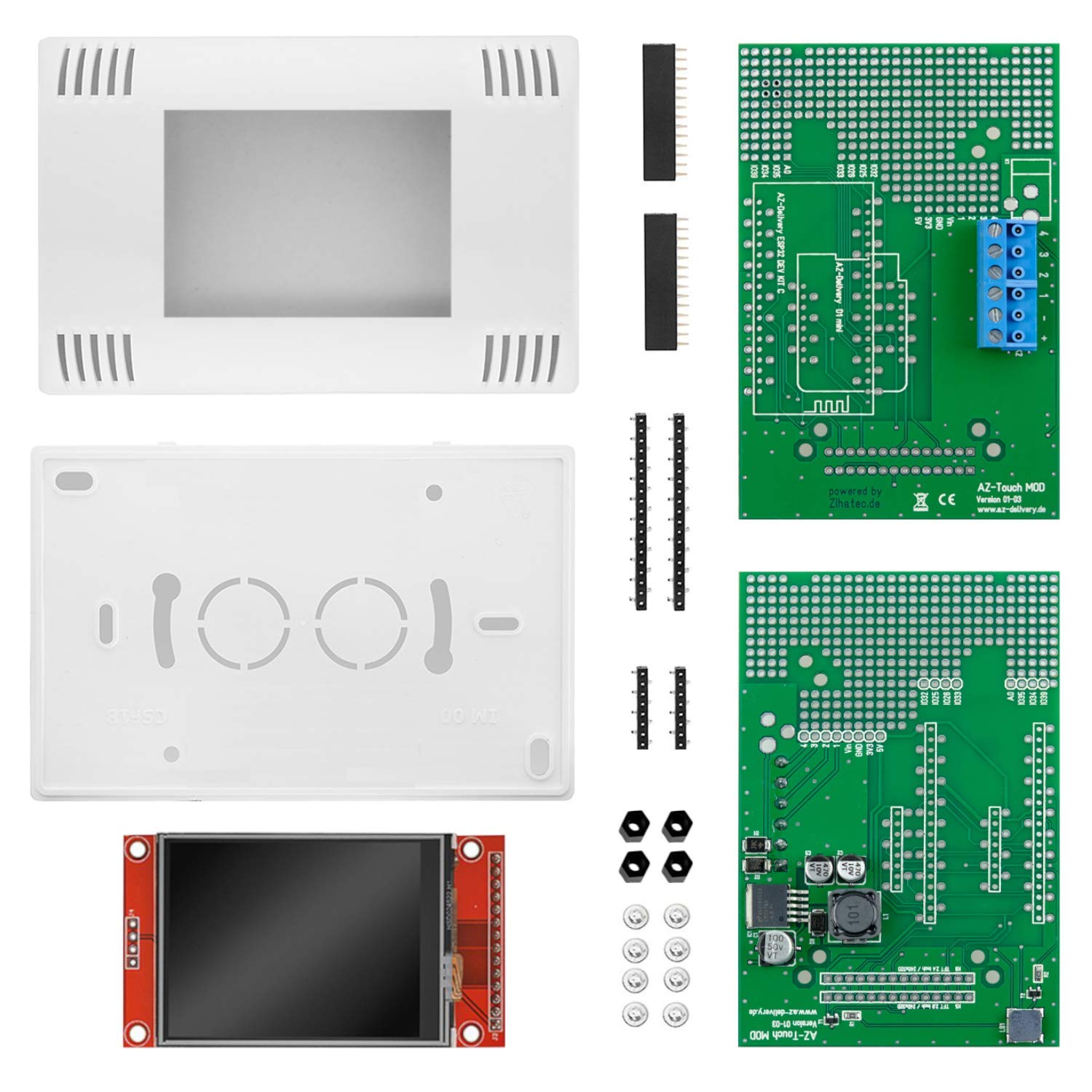
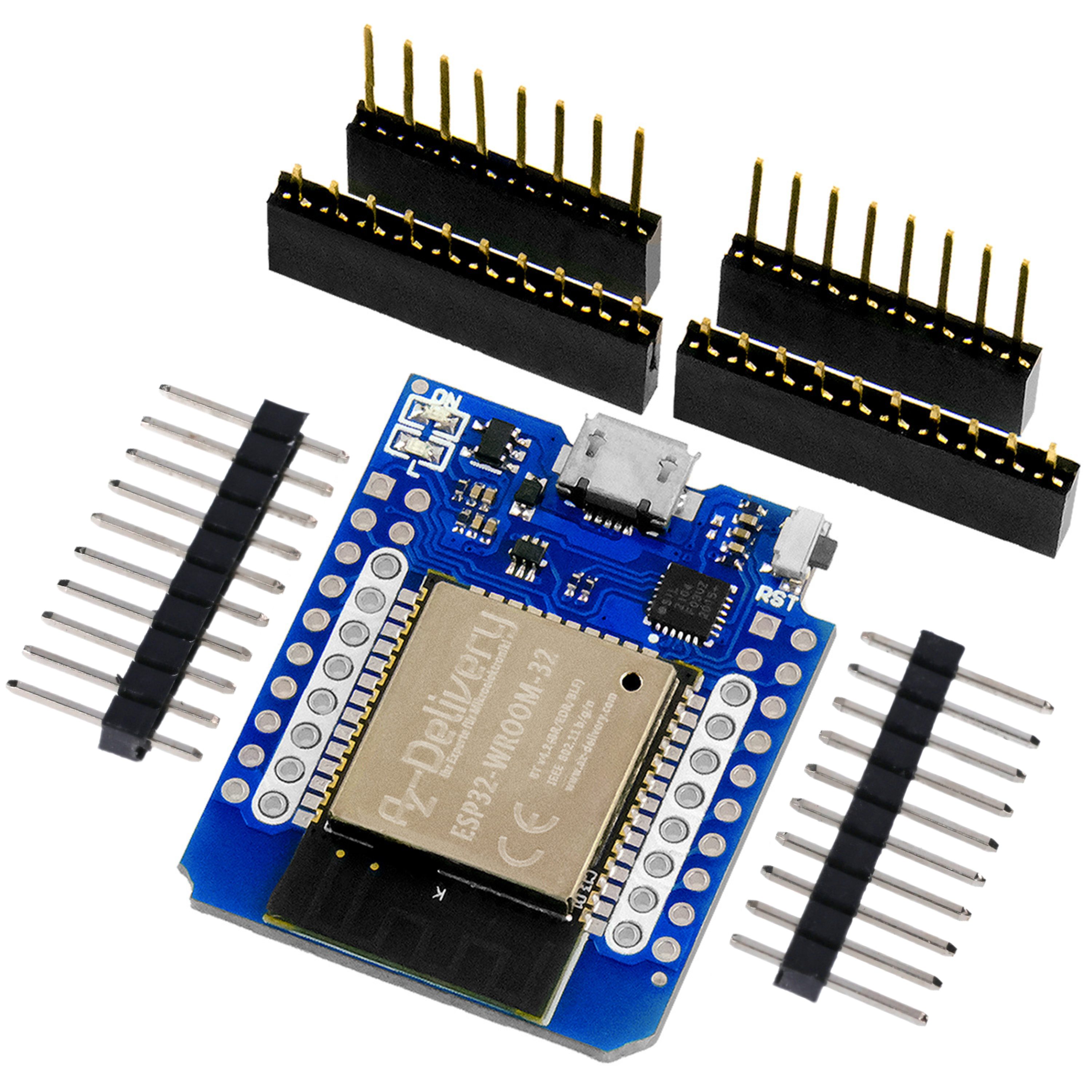
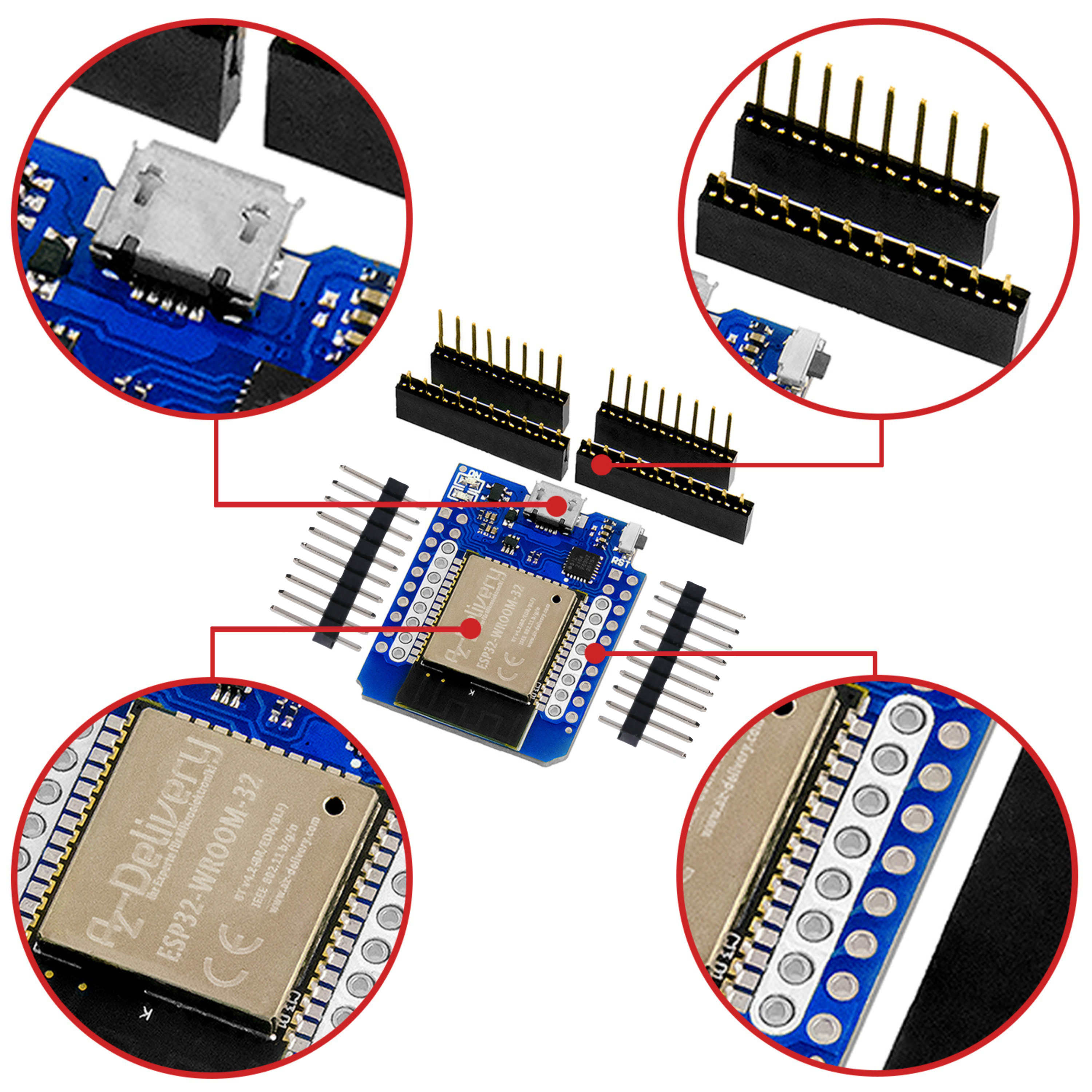
These components are required:
The idea of the alkaline refresher
Numerous everyday devices are powered by 1.5 V batteries. The AA battery type dominates. Alkaline batteries in particular can be found in every supermarket for relatively little money. Huge quantities of these batteries are constantly being disposed of, and we can read everywhere how dangerous it is to charge such batteries. In fact, in recent years the industry has succeeded quite well in making us afraid of charging attempts. Probably for very obvious reasons.
At the same time, there are a wide variety of refreshers and do-it-yourself projects. The latter in particular have very different concepts. In some cases, complicated, pulsed voltages are used. I always refer to "refreshers" here, not "chargers", because this is not a charging process. Although chemical processes are reversed, it is not a charging process, as with a rechargeable battery.
After several months of testing, I can report that I have never had a single battery heat up. No battery has leaked, burst or even caught fire. What is much more critical with lithium-ion batteries and requires real care is not a problem with alkaline batteries in my experience so far.
It is important for me to point out that the procedure presented is exclusively for Alkaline-batteries. Under no circumstances should you attempt to recharge batteries that are not expressly labeled as "Alka line". Rechargeable batteries cannot be charged with this device either.

Here I present the result of my work. It is a simple, well-functioning device. At the end of this first article you will find some typical example measurements. I even succeeded once in reviving a battery that had been "sucked dry" down to 0.28 V.
You can expect about 3-10 charges from a used battery. As soon as a battery starts to run out, it should no longer be used. I strongly advise this.
Part 2 of my article will integrate the alkaline refresher into the Home Assistant. Then you can always see how far the refreshing process has progressed without having to have the device in front of you. I have several devices in different rooms. The HA dashboard is very useful for this.
The gentle charging of the batteries was also important to me. If four batteries are inserted, each battery receives a pulse of 250 ms and 850 ms rest time per second. If only one battery is inserted, charging is much faster: 250 ms charge and approx. 100 ms rest time. As I could not detect any heating of the battery in this operating mode either, I did not install an additional delay.
The circuit
Let us first look at the circuit diagram:

In the center of the circuit diagram you can see the heart of the device, the D1 Mini ESP32 NodeMCU. I like to use this wonderfully compact board when other tasks are added to simple WiFi connections, such as MQTT publishing.
On the right-hand side you can see four identical units, each consisting of an n-channel enhancement MOSFET BUZ42, a BC 547 as a MOSFET driver and a light-emitting diode. Each battery receives its f250 ms pulses via a 48Ω resistor. For this purpose, the MOSFET switches the operating voltage of 12 V to the respective battery. The internal resistance of the battery and the series resistor form a voltage divider so that a battery briefly draws around 100 mA.
To the left of the microprocessor there are four identical resistor networks that are connected to the positive terminals of the batteries and GND. This is used to measure the respective battery voltage in order to track the refreshing process. The measurement is carried out before the respective voltage pulse.
The microprocessor is powered via an LM 2596 - StepDown Converter, which is installed in the AZ board MT3608. As we use high-impedance measurement inputs on the MCU, this board should be positioned as far away as possible from the analog inputs used by the processor.
As with previous projects, this time I also drew on the stock in the craft box. The used MOSFET does a good job, but requires a driver. If you replace it with a "Logic Level MOSFET " such as the IRL 520, then this saves the driver stage.
As with previous projects, I am again considering creating a printed circuit board and having it produced if there is interest in the community. PCBs for the battery fitness tester have just reached their second edition. Anyone refreshing batteries will certainly want to measure their internal resistance (more on this later) in order to determine their success. If you are interested in a circuit board, please contact me via michaelklein495(at)gmail.de.
The sketch
The sketch is made up of three parts for the sake of clarity. First, let's take a look at the main program:
Alkaline_refresh_1_2_part_1_DONE
The sketch is quite compact overall. In the first two lines, arrays are reserved for the raw values of the battery voltage and the calculated voltages.
The Array with the name battload[] records how often a battery voltage has reached or exceeded the Ulimit value. The logic behind this is very simple: it can happen that the limit is displayed as reached during the voltage measurement, but has only been reached for a short time. To make sure that the battery is really charged, the limit is recorded ten times in total. When battload[] has reached zero for a battery, it is considered charged. The voltage then drops quite quickly to 1.5 ... 1.65 V.
The loop void setup() is limited to the initialization of the serial interface and the output pins. There is nothing more to do here for the time being.
Then it's straight into the void loop(). The function measurements(), which retrieves the raw values from the analog inputs and converts them into battery voltages.
This is followed by a loop across all four batteries. It first checks whether the battery voltages are between 0.2 and Ulimit. It also checks whether 10x Ulimit has already been reached. was.
If the battery voltage is within the desired range and is not yet fully charged, the sketch sends a charging pulse of 250 ms duration to the respective battery and switches the current off again.
This is the charging process - that's all you need! This process is repeated until Ulimit has been reached or exceeded 10 times.
The following if queries are used for simple operation of the device. If it recognizes (1st if query) that the voltage at a battery = 0 (battery missing or defective), the sketch sets the respective battload[] variable to 10 in preparation for the next charging process.
The following if query checks whether the voltage of the respective battery is >= Ulimit and, if necessary, counts down battload[] for this battery.
Now all battery voltages are measured again. If any of the voltages are > Ulimit all Battery voltages are output in a small table via the serial interface. This function is used for debugging and for an overview.
That's all there is to it. I think I can leave the simple functions for measurements and table output to your attention. They are simple and self-explanatory. This time I entrusted the tedious typing of the table output to an AI and was not disappointed :-)
Operating the device
The sketch shows the simple function of the device:
1. if you only switch on the 5V power supply without the charging voltage, you can measure the voltages of battery 1 ... 4. You will be familiar from my blog post "Battery fitness tester" that this voltage measurement says very little about the state of health of a battery. Only the measurement of the internal resistance provides useful information. It is certainly good for classifying batteries as "hopeless" or "try it".
2. in classic operation with full 12V / 5V power supply, the device does not display an illuminated LED. Insert a battery into the 1st compartment. The 1st LED flashes, indicating the charging process. Do the same with other batteries and you will see a running light as the batteries (see sketch) receive their charging pulses in turn. There is a short video attached to this article.
3. when a battery is charged, the corresponding LED goes out and the battery can be removed, even if other batteries are still being charged. Another battery can now be inserted in place of the fully charged battery and the cycle starts again.
Practical results
Each battery listed below was first tested for internal resistance using the battery fitness tester and then inserted into the alkaline refresher. You can see the measured values and the duration of the charging process.
The measurement was then repeated with the battery/battery fitness tester so that the difference could be seen:
Ua [V] Ri[Ω]@10mA Charging time Ue [V] Ri[Ω]@50mA
Battery #23 1,51 0,78 70 min 1,6 0,73
Battery #44 0,96 1,1 125 min 1,5 0,61
Battery #18 1,33 0,69 30 min 1,42 0,65
Ua is the initial voltage of the battery to be refreshed; Ri[Ω]@10mA is the internal resistance at a maximum load of 10 mA.
Ue is the relaxation and Ri[Ω]@50mA the internal resistance, but at 50 mA maximum load.
We can see from this table (which of course does not provide any statistics with three entries) that it is obviously the "bad" batteries such as #44 that can experience an incredible "resurrection". This is neither a guarantee nor a "miracle", but has been repeatedly demonstrated in around 25 tests. In this example, the internal resistance has halved!
I intentionally loaded the batteries with only 10 mA during the initial test because otherwise the test may not run to completion. You will remember that the battery fitness tester increases the load in 10 steps. If you go straight to "50 mA maximum load", the device under test may not be able to supply this current at all and the measurement will "get stuck". So start with 10 mA for the first test.
Once the battery has been refreshed, it is tested with 5 times the current: 50 mA. If a battery cannot cope with this, it is best to put it in the disposal box.
Incidentally, #44 comes from this disposal box! I was amazed at how this battery could be refreshed, whereas #23, for example, shows an effect, but it wasn't grandiose.
#18 was only refreshed for 30 minutes as a test to see what effect could be achieved. Of course, the final voltage of 1.65 V was not reached. It was clear in advance that the battery was not exhausted, but that only a partial effect was possible. The results show this.
Excursus: How are alkaline batteries constructed? Which chemical process supplies the electricity?
Because I'm a physicist and not a chemist, I did some "smart reading". Here in a nutshell:
The chemical reactions (in simplified form) proceed as follows:
Anode (oxidation, zinc löitself): Zn + 2 OH- → ZnO + H2O + 2 e-
Cathode (reduction, MnO2 reacts): 2 MnO2 + H2O + 2 e- → Mn2O3 + 2 OH-
Total reaction (simplified): Zn + 2 MnO2 → ZnO + Mn2O3
Alkaline electrolyte (KOH) provides an höhigher energy density and better power output, even at lower temperatures, than older zinc-carbon cells.
MnO2 as cathode material ermöenables stable discharge voltage up to exhaustionöping of the zinc.
—
This diagram roughly illustrates the oxidation and reduction process that takes place in the cell. It is obviously possible to use the current pulses to remove deposits that impede the flow of current and thus increase the reacting surface - which supplies the current and reduces the internal resistance if necessary. This means that more of the remaining material in the cell is available to participate in a redox process. This is roughly how I understand the explanations of more competent experts who are familiar with this. No guarantee!
After all, I find it interesting how well it works in practice and how easy it is.
Christmas has once again brought a number of supposedly dead batteries that were powering some kind of lighting. Now, after refreshing them, I'm putting these batteries back into devices that don't have such high power consumption, i.e. don't need to run motors, etc.
This is another experience of dealing with refreshing batteries: The 2nd life must be smoother than the first. In other words: If the battery has worked "to exhaustion" in a light with a continuous load of 50 mA, then I recommend for the second use, for example, an alarm clock with an LCD display that only needs 1 ... 5 mA.
What about other batteries - only AA batteries are refreshed here?
The procedure is generally suitable for any alkaline cell with a nominal voltage of 1.5 V. For AAA cells, the charging resistance should be increased to 100 Ω. I have not tested AAAA.
Button cells cannot be charged.
With size C or D batteries, the charging process only takes a little longer than with AA batteries, for example.
Another note: There may be batteries that no longer reach the final voltage of 1.65 V. In this case, the charging process does not end automatically. In this case, the charging process will not end automatically. When we discuss the Home Assistant integration in Part 2, this situation is resolved by a timer in the HA that you can set up.
Conclusion
We have learned a technique that reduces our battery purchases and helps the environment a little. This alone is worth the manageable effort. We have also learned something new.
In Part 2, you will learn how the connection with the Home Assistant works.
Until then, I look forward to your questions, ideas and comments. Please also feel free to tell me about your practical experience with the device.
Yours
Michael Klein




17 comments
AZ Blog-Team
Hallo,
vielen Dank für den Hinweis und das positive Feedback zum Projekt.
Die beiden fehlenden Unterprogramme „Messungen.ino“ und „Tabellenoutput.ino“ haben wir inzwischen am Ende der Blogseite ergänzt.
Bei weiteren Fragen gerne jederzeit melden.
Viele Grüße
AZ Blog-Team
Bernd-Steffen
Hallo Herr Klein, sehr schönes Projekt, was ich auch schon nachgebaut habe! Leider fehlen hier im Blog zwei wichtige Unterprogramme, ohne die sowohl Teil 1 als auch Teil2 nicht funktionieren: Messungen.ino und Tabellenoutput.ino !
Damit gibt es auch keine Compilierfehler mehr und das Ganze funktioniert super!
Paul Fried
Sehr schönes Projekt! Gibt es dazu einen Bausatz?
Lars Sternkopf
Hallo, das Projekt ist interessant, aber unvollständig. Wo ist der Code für die Funktion messungen() und printTable() ? Ein lesbarer Schaltplan (PDF mit vernünftiger Auflösung) wäre auch hilfreich.
Aber scheinbar wird das hier nicht mehr gepflegt (siehe Kommentar von Karl-Heinz Lippert).
Lars Sternkopf
Hallo, gibt es den Schaltplan auch in etwas höherer Auflösung?
Edwin Jonkman
Ich habe eine Frage zur sketch. In der sketch (und der Erklärung) wird auf die Funktion „messungen();“ verwiesen, diese ist aber nirgends aufgeführt. Könnten Sie mir bitte sagen, was hier falsch ist?
hypertrax
Mmmh….
Erstmal… ja, interessantes Projekt… aber….
1.) Fehlerhafte BOM: Sie geben im Schaltplan als auch im Text an das ein Step-Down Wandler LM2506 verwendung finet um die 5V für den D1 zur Verfügung zu stellen.
Im Text heist es dazu “Zitat -:Die Stromversorgung des Mikroprozessors erfolgt über einen LM 2596 – StepDown Converter, der im AZ-Board MT3608 verbaut ist”
Soweit ich das aber sehe ist das MT3608-Board doch ein “STEP-UP-Modul”
Obendrein führt auch der Link ganz am Anfang des Blog zu diesem Step-UP-Modul MT3608. Meines erachtens müsste hier doch eher auf das Step-Down-Modul “LM2596S”
verwiesen werden. (im Schaltplan ist imm übrigen der “richtige” “LM2596S” dargestellt.
2.) Im Schaltplan is ganz links ein Bauteil mit der Kennzeichnung V1 dargestellt ohne weitere Angaben. Was soll das denn sein? Und… Die Beschaltung kann doch wohl so auch nicht richtig sein da an dem “unteren Beinchen” sowohl “PWR_FLAG” als auch “GND” anliegen soll ??? Da PWR_FLAG aber oben am Step-Down-Modul die +12V abgreift würde das doch zu einem Kurzschluss führen! (oder sollen diese “PWR_FLAG” irgendwelche Messpunkte darstellen ?)
Wenn dieses “V1” Bauteil aber die exteren Spannungsversorgung darstellen soll, so müsste da doch da der “Abgang” auf “+12V Vdd” gehen und nicht wie gezeichnet auf “+5V Vdd” – Oder aber die Schaltung soll denn doch mit 5V Betriebsspannung versorgt werden, dann aber wäre wiederum der Rest falsch weil dann ja in der Tat ein STEP-UP MT3608 zur Erzeugung der +12V benötigt würde….
Alles recht verwirrend… Irgendwie passt das alles nicht so recht zusammen….
roompi
irgendwie stimmt hier etwas nicht – hast Du einen WeMos D1 mini verwendet oder einen ESP32? Wenn ein D1 mini, dann ist es aber ESP8266 und kein ESP32. Und die Pins hauen damit auch nicht hin.
Karl-Heinz Lippert
Hallo, im Sketch fehlt die Funktion “void messungen()” …
So kann das Ganze nicht funktionieren.
Ich bin noch im theoretischen Teil – aber das sollte auffallen.
Viele Grüße
Michael Klein
DEN RICHTIGEN BOARDMANAGER WÄHLEN.
Bitte, benutzen Sie „ESP32 Dev Module“. Damit läuft der Compiler problemlos.
Viele Grüsse
Michael Klein
Michael
Wirklich ein sehr tolles und interessantes Projekt.
Es hat mich auch schon immer extremst gestört, dass man soviele Batterien entsorgt und
dann einfach eine neue aus der Verpackung nimmt.
Vor Deinem Bericht war mir allerdings nicht bewusst, dass man alte Alkaline Batterien wieder beleben kann vielen.
Danke für Deine Aufklärung.
Viele Grüße
Michael
Kurt Grunwald
Guten Tag, erstmal danke für die prima Arbeit.
Bei dem obigen Programm bekomme ich beim Kompilieren einen Fehler.
Kann das sein, das ich das falsche Board angegeben habe? oder läuft das Progrmm nicht mit der alten Arduino IDE? Vielleicht können Sie das einzustellende Board im Boardverwalter mit angeben.
Vielen Dank.
Arduino: 1.8.19 (Windows 7), Board: “WEMOS D1 MINI ESP32, 80MHz, Default, 240MHz (WiFi/BT), 921600, None, Disabled”
C:\-MEINE\arduino-1-8-19\arduino-builder -dump-prefs -logger=machine -hardware C:\-MEINE\arduino-1-8-19\hardware -hardware C:\-MEINE\arduino-1-8-19\portable\packages -tools C:\-MEINE\arduino-1-8-19\tools-builder -tools C:\-MEINE\arduino-1-8-19\hardware\tools\avr -tools C:\-MEINE\arduino-1-8-19\portable\packages -built-in-libraries C:\-MEINE\arduino-1-8-19\libraries -libraries C:\-MEINE\arduino-1-8-19\portable\sketchbook\libraries -fqbn=esp32:esp32:d1_mini32:FlashFreq=80,PartitionScheme=default,CPUFreq=240,UploadSpeed=921600,DebugLevel=none,EraseFlash=none -ide-version=10819 -build-path C:\Users\PcM\AppData\Local\Temp\arduino_build_225214 -warnings=none -build-cache C:\Users\PcM\AppData\Local\Temp\arduino_cache_837457 -prefs=build.warn_data_percentage=75 -prefs=runtime.tools.openocd-esp32.path=C:\-MEINE\arduino-1-8-19\portable\packages\esp32\tools\openocd-esp32\v0.12.0-esp32-20250707 -prefs=runtime.tools.openocd-esp32-v0.12.0-esp32-20250707.path=C:\-MEINE\arduino-1-8-19\portable\packages\esp32\tools\openocd-esp32\v0.12.0-esp32-20250707 -prefs=runtime.tools.mklittlefs.path=C:\-MEINE\arduino-1-8-19\portable\packages\esp32\tools\mklittlefs\4.0.2-db0513a -prefs=runtime.tools.mklittlefs-4.0.2-db0513a.path=C:\-MEINE\arduino-1-8-19\portable\packages\esp32\tools\mklittlefs\4.0.2-db0513a -prefs=runtime.tools.mkspiffs.path=C:\-MEINE\arduino-1-8-19\portable\packages\esp32\tools\mkspiffs\0.2.3 prefs=runtime.tools.mkspiffs-0.2.3.path=C:\-MEINE\arduino-1-8-19\portable\packages\esp32\tools\mkspiffs\0.2.3 -prefs=runtime.tools.xtensa-esp-elf-gdb.path=C:\-MEINE\arduino-1-8-19\portable\packages\esp32\tools\xtensa-esp-elf-gdb\16.3_20250913 prefs=runtime.tools.xtensa-esp-elf-gdb-16.3_20250913.path=C:\-MEINE\arduino-1-8-19\portable\packages\esp32\tools\xtensa-esp-elf-gdb\16.3_20250913 -prefs=runtime.tools.esp-rv32.path=C:\-MEINE\arduino-1-8-19\portable\packages\esp32\tools\esp-rv32\2511 -prefs=runtime.tools.esp-rv32-2511.path=C:\-MEINE\arduino-1-8-19\portable\packages\esp32\tools\esp-rv32\2511 prefs=runtime.tools.dfu-util.path=C:\-MEINE\arduino-1-8-19\portable\packages\arduino\tools\dfu-util\0.11.0-arduino5 -prefs=runtime.tools.dfu-util-0.11.0-arduino5.path=C:\-MEINE\arduino-1-8-19\portable\packages\arduino\tools\dfu-util\0.11.0-arduino5 prefs=runtime.tools.esp-x32.path=C:\-MEINE\arduino-1-8-19\portable\packages\esp32\tools\esp-x32\2511 -prefs=runtime.tools.esp-x32-2511.path=C:\-MEINE\arduino-1-8-19\portable\packages\esp32\tools\esp-x32\2511 -prefs=runtime.tools.esptool_py.path=C:\-MEINE\arduino-1-8-19\portable\packages\esp32\tools\esptool_py\5.1.0 prefs=runtime.tools.esptool_py-5.1.0.path=C:\-MEINE\arduino-1-8-19\portable\packages\esp32\tools\esptoolpy\5.1.0 -prefs=runtime.tools.riscv32-esp-elf-gdb.path=C:\MEINE\arduino-1-8-19\portable\packages\esp32\tools\riscv32-esp-elf-gdb\16.320250913 -prefs=runtime.tools.riscv32-esp-elf-gdb-16.320250913.path=C:\MEINE\arduino-1-8-19\portable\packages\esp32\tools\riscv32-esp-elf-gdb\16.320250913 -prefs=runtime.tools.esp32-arduino-libs.path=C:\MEINE\arduino-1-8-19\portable\packages\esp32\tools\esp32-arduino-libs\idf-releasev5.5-9bb7aa84-v2 -prefs=runtime.tools.esp32-arduino-libs-idf-releasev5.5-9bb7aa84-v2.path=C:\MEINE\arduino-1-8-19\portable\packages\esp32\tools\esp32-arduino-libs\idf-releasev5.5-9bb7aa84-v2 -verbose C:\MEINE\arduino-1-8-19\portable\sketchbook\AlkalineAuffrischen12Teil1final\AlkalineAuffrischen12Teil1final.ino
C:\-MEINE\arduino-1-8-19\arduino-builder -compile -logger=machine -hardware C:\-MEINE\arduino-1-8-19\hardware -hardware C:\-MEINE\arduino-1-8-19\portable\packages -tools C:\-MEINE\arduino-1-8-19\tools-builder -tools C:\-MEINE\arduino-1-8-19\hardware\tools\avr -tools C:\-MEINE\arduino-1-8-19\portable\packages -built-in-libraries C:\-MEINE\arduino-1-8-19\libraries -libraries C:\-MEINE\arduino-1-8-19\portable\sketchbook\libraries -fqbn=esp32:esp32:d1_mini32:FlashFreq=80,PartitionScheme=default,CPUFreq=240,UploadSpeed=921600,DebugLevel=none,EraseFlash=none -ide-version=10819 -build-path C:\Users\PcM\AppData\Local\Temp\arduino_build_225214 -warnings=none -build-cache C:\Users\PcM\AppData\Local\Temp\arduino_cache_837457 -prefs=build.warn_data_percentage=75 -prefs=runtime.tools.openocd-esp32.path=C:\-MEINE\arduino-1-8-19\portable\packages\esp32\tools\openocd-esp32\v0.12.0-esp32-20250707 -prefs=runtime.tools.openocd-esp32-v0.12.0-esp32-20250707.path=C:\-MEINE\arduino-1-8-19\portable\packages\esp32\tools\openocd-esp32\v0.12.0-esp32-20250707 -prefs=runtime.tools.mklittlefs.path=C:\-MEINE\arduino-1-8-19\portable\packages\esp32\tools\mklittlefs\4.0.2-db0513a -prefs=runtime.tools.mklittlefs-4.0.2-db0513a.path=C:\-MEINE\arduino-1-8-19\portable\packages\esp32\tools\mklittlefs\4.0.2-db0513a -prefs=runtime.tools.mkspiffs.path=C:\-MEINE\arduino-1-8-19\portable\packages\esp32\tools\mkspiffs\0.2.3 prefs=runtime.tools.mkspiffs-0.2.3.path=C:\-MEINE\arduino-1-8-19\portable\packages\esp32\tools\mkspiffs\0.2.3 -prefs=runtime.tools.xtensa-esp-elf-gdb.path=C:\-MEINE\arduino-1-8-19\portable\packages\esp32\tools\xtensa-esp-elf-gdb\16.3_20250913 prefs=runtime.tools.xtensa-esp-elf-gdb-16.3_20250913.path=C:\-MEINE\arduino-1-8-19\portable\packages\esp32\tools\xtensa-esp-elf-gdb\16.3_20250913 -prefs=runtime.tools.esp-rv32.path=C:\-MEINE\arduino-1-8-19\portable\packages\esp32\tools\esp-rv32\2511 -prefs=runtime.tools.esp-rv32-2511.path=C:\-MEINE\arduino-1-8-19\portable\packages\esp32\tools\esp-rv32\2511 prefs=runtime.tools.dfu-util.path=C:\-MEINE\arduino-1-8-19\portable\packages\arduino\tools\dfu-util\0.11.0-arduino5 -prefs=runtime.tools.dfu-util-0.11.0-arduino5.path=C:\-MEINE\arduino-1-8-19\portable\packages\arduino\tools\dfu-util\0.11.0-arduino5 prefs=runtime.tools.esp-x32.path=C:\-MEINE\arduino-1-8-19\portable\packages\esp32\tools\esp-x32\2511 -prefs=runtime.tools.esp-x32-2511.path=C:\-MEINE\arduino-1-8-19\portable\packages\esp32\tools\esp-x32\2511 -prefs=runtime.tools.esptool_py.path=C:\-MEINE\arduino-1-8-19\portable\packages\esp32\tools\esptool_py\5.1.0 prefs=runtime.tools.esptool_py-5.1.0.path=C:\-MEINE\arduino-1-8-19\portable\packages\esp32\tools\esptoolpy\5.1.0 -prefs=runtime.tools.riscv32-esp-elf-gdb.path=C:\MEINE\arduino-1-8-19\portable\packages\esp32\tools\riscv32-esp-elf-gdb\16.320250913 -prefs=runtime.tools.riscv32-esp-elf-gdb-16.320250913.path=C:\MEINE\arduino-1-8-19\portable\packages\esp32\tools\riscv32-esp-elf-gdb\16.320250913 -prefs=runtime.tools.esp32-arduino-libs.path=C:\MEINE\arduino-1-8-19\portable\packages\esp32\tools\esp32-arduino-libs\idf-releasev5.5-9bb7aa84-v2 -prefs=runtime.tools.esp32-arduino-libs-idf-releasev5.5-9bb7aa84-v2.path=C:\MEINE\arduino-1-8-19\portable\packages\esp32\tools\esp32-arduino-libs\idf-releasev5.5-9bb7aa84-v2 -verbose C:\MEINE\arduino-1-8-19\portable\sketchbook\AlkalineAuffrischen12Teil1final\AlkalineAuffrischen12Teil1final.ino
Using board ‘d1_mini32’ from platform in folder: C:\-_MEINE\arduino-1-8-19\portable\packages\esp32\hardware\esp32\3.3.5
Using core ‘esp32’ from platform in folder: C:\-_MEINE\arduino-1-8-19\portable\packages\esp32\hardware\esp32\3.3.5
cmd /c if exist “C:\\-MEINE\\arduino-1-8-19\\portable\\sketchbook\\Alkaline_Auffrischen_1_2_Teil_1final\\partitions.csv” COPY /y “C:\\-MEINE\\arduino-1-8-19\\portable\\sketchbook\\Alkaline_Auffrischen_1_2_Teil_1final\\partitions.csv” “C:\\Users\\PcM\\AppData\\Local\\Temp\\arduino_build_225214\\partitions.csv”
cmd /c if not exist “C:\\Users\\PcM\\AppData\\Local\\Temp\\arduino_build_225214\\partitions.csv” if exist “C:\\-MEINE\\arduino-1-8-19\\portable\\packages\\esp32\\hardware\\esp32\\3.3.5\\variants\\d1mini32\\partitions.csv” COPY “C:\\-MEINE\\arduino-1-8-19\\portable\\packages\\esp32\\hardware\\esp32\\3.3.5\\variants\\d1mini32\\partitions.csv” “C:\\Users\\PcM\\AppData\\Local\\Temp\\arduino_build_225214\\partitions.csv”
cmd /c if not exist “C:\\Users\\PcM\\AppData\\Local\\Temp\\arduino_build_225214\\partitions.csv” COPY “C:\\-_MEINE\\arduino-1-8-19\\portable\\packages\\esp32\\hardware\\esp32\\3.3.5\\tools\\partitions\\default.csv” “C:\\Users\\PcM\\AppData\\Local\\Temp\\arduino_build_225214\\partitions.csv”
cmd /c IF EXIST “C:\\-MEINE\\arduino-1-8-19\\portable\\sketchbook\\Alkaline_Auffrischen_1_2_Teil_1final\\bootloader.bin” ( COPY /y “C:\\-MEINE\\arduino-1-8-19\\portable\\sketchbook\\Alkaline_Auffrischen_1_2_Teil_1final\\bootloader.bin” “C:\\Users\\PcM\\AppData\\Local\\Temp\\arduino_build_225214\\Alkaline_Auffrischen_1_2_Teil_1_final.ino.bootloader.bin” ) ELSE ( IF EXIST “C:\\-MEINE\\arduino-1-8-19\\portable\\packages\\esp32\\hardware\\esp32\\3.3.5\\variants\\d1mini32\\bootloader.bin” ( COPY “C:\\-MEINE\\arduino-1-8-19\\portable\\packages\\esp32\\hardware\\esp32\\3.3.5\\variants\\d1mini32\\bootloader.bin” “C:\\Users\\PcM\\AppData\\Local\\Temp\\arduino_build_225214\\Alkaline_Auffrischen_1_2_Teil_1_final.ino.bootloader.bin” ) ELSE ( “C:\\-MEINE\\arduino-1-8-19\\portable\\packages\\esp32\\tools\\esptoolpy\\5.1.0\\esptool.exe” —chip esp32 elf2image —flash-mode dio —flash-freq 80m —flash-size 4MB -o “C:\\Users\\PcM\\AppData\\Local\\Temp\\arduino_build_225214\\Alkaline_Auffrischen_1_2_Teil_1_final.ino.bootloader.bin” “C:\\-MEINE\\arduino-1-8-19\\portable\\packages\\esp32\\tools\\esp32-arduino-libs\\idf-release_v5.5-9bb7aa84-v2\\esp32\\bin\\bootloader_dio80m.elf” ) )
[PYI-708:ERROR] Failed to load Python DLL ‘C:\Users\PcM\AppData\Local\Temp\_MEI14282\python313.dll’.
LoadLibrary:
exit status -1
Fehler beim Kompilieren für das Board WEMOS D1 MINI ESP32.
Walter Wengler
Hallo Michael,
ich finde dieses Projekt sehr spannend, da ich selbst jede Menge Geräte im Smarthome Bereich habe, die AA Batterien benötigen. Ich freue mich schon auf zweiten Teil Ihres Blog.
Viele Grüße
Walter
Festus
Prima
Schönes Projekt. Obwohl nichts “passieren” kann sollte der Aufbau des Gerätes doch feuerhemmend erfolgen. Sehr gut gefällt mir die geringe Größe und die Übersichtlichkeit des Programms.
Ulrich
Die Funktion erinnert mich an die 80-er Jahre im Osten. Kollegen mit “West”-Verwandschaft bekamen Digitaluhren geschickt, solche “LR/AG” Knopfzellen gabs damals nicht.
Wir haben die Batterien aufgefrischt mit Einweggleichrichtung und über Widerstand mit kleiner negativen Gegenspannung. Danach liefen manche Uhren noch Monate.
Alex
Der code meldet mehrere Fehler!! Habe Chatgpt dazu gefragt und es hat den code überarbeitet, jetzt keine Fehlermeldungen beim Compilen !! Das Thema interessiert mich, weil zur Weihnachtszeit wieder viele Batterien zusammen kamen !!
taskkill
Könnten Sie auch ein Foto der Leiterplatte mit einbinden ?